Audience · Segmentation

Forget static lists: customer segments that update in real time on advanced filters

Le Dynamic audiences of Marta Platform replace the old static CRM. Every segment is defined by filters you can combine on purchases, amounts spent, products, categories, tier, tags, dates and calculated fields — and the list of included customers updates on its own.

I Tag classify customers and stores with room to adapt, assigned by hand or automatically from promotion actions. The Badge bring gamification with progressive levels. And with Analyst AI, every answer can become a new audience straight away.

Dynamic audiences

Filters you can combine on every dimension of the customer: precise segments, always up to date

The criteria you can use to build an audience cover every dimension that matters: number of purchases in a period, amounts spent, products and categories purchased, current tier, assigned tags, badges earned, registration dates and custom calculated fields.

Filters combine freely: "Silver customers with more than 3 purchases in the last 2 months, spend between €200 and €300 in Fragrances, without the win-back tag already assigned". The list updates on its own and can be used in promotions, communications, bulk voucher generation ed export.
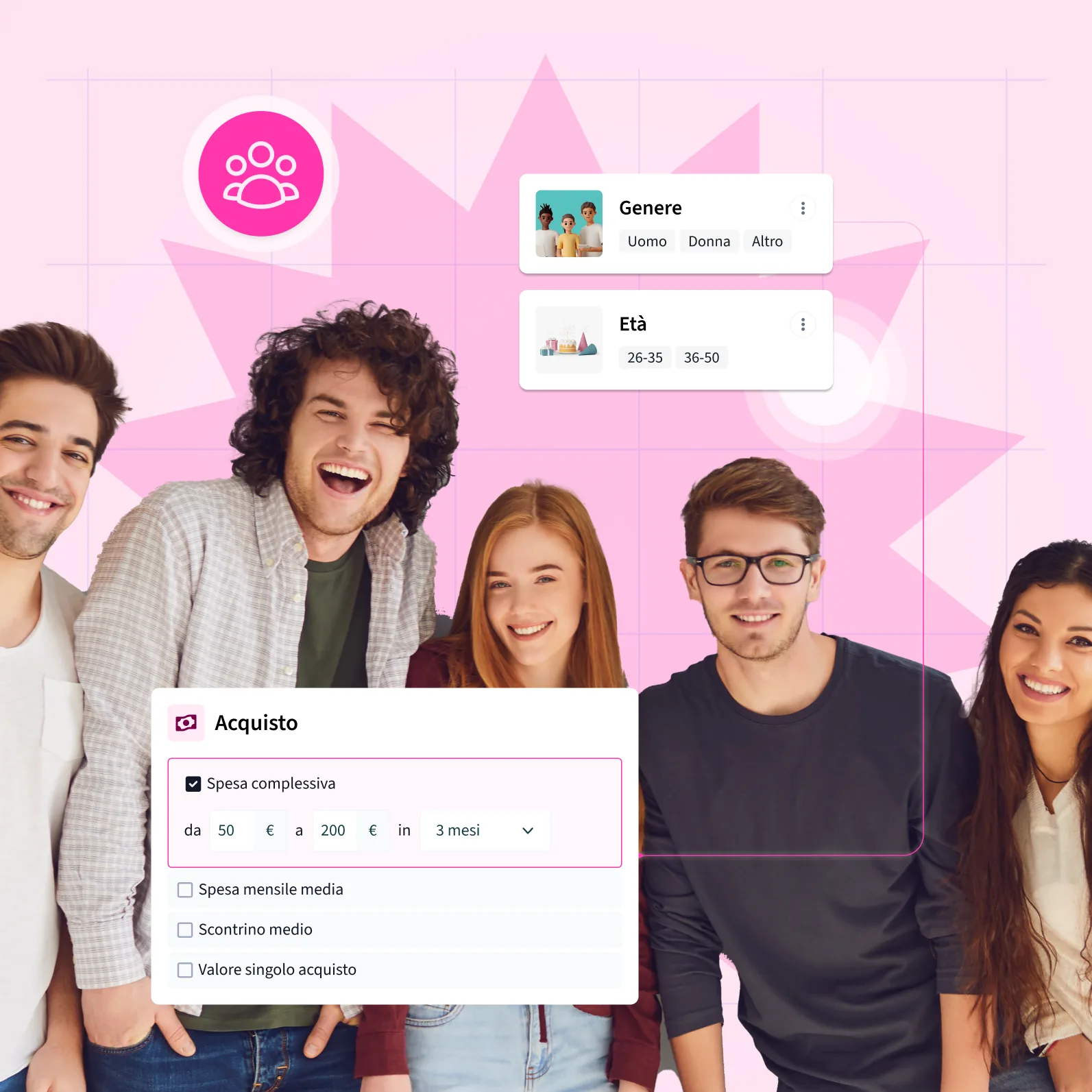
Audience filters on gender, age and total spend over a range of months.

Customer and store tags

Classify customers and stores with free tags: assigned by hand or automatically from promotion actions

I Tag are free-text labels you can apply to customers and stores. They can be assigned manually from the back office — for example to classify ambassadors, media partners or influencers — or automatically as an action in the promotion engine, for example "assign the tag 'nike-buyer' to anyone who buys in the Nike Footwear category".

Every tag shows the count of linked customers (or stores). The bulk operations (setTagsCustomers, setTagsShops) let you tag whole segments in a single operation. Tags then become filter criteria in audiences, promotions and communications.

Customer tags — by assignment type
vip-autumn-20263.240 win-back812 nike-buyer1.105 ambassador47 media-partner12 churn-risk445 influencer28 first-purchase2.890
Store tags
flagship4 high-season12 outlet8
Promo action: assign tag "nike-buyer" to anyone who buys in the Nike Footwear category
Gamification · Badges

Badges with progressive levels: give them concrete goals, and reward the path the customer takes

I Badge structure the program's gamification. Every badge belongs to a category (for example "Exploration", "Loyalty", "Spend") and can have several progressive levels — the customer moves up as they hit the goals.

Assignment happens manually from the customer profile for special recognition, or automatically from a promotion action — "assign the Explorer Level 2 badge to anyone who buys in 3 different stores in the same month". Badges earned show on the customer profile and can be used as filter criteria in audiences.

Explore the promotion engine

Segment, classify, engage:
every customer in the right place

Dynamic audiences

Filters on purchases, spend, products, tier, tags, badges and calculated fields. A list updated in real time, ready for promotions, communications and bulk vouchers.

REAL-TIME

Tag

Free labels on customers and stores, assigned by hand or automatically from promotion actions. You can filter on them in audiences, promotions and communications.

CLASSIFICATION

Badge

Structured gamification: categories, progressive levels, automatic or manual assignment. Badges visible on the customer profile and usable as an audience filter.

GAMIFICATION

Audiences from AI

Ask Analyst MARTAIA a question in plain language, get a table, and turn it straight into an audience or a bulk tag.

MARTAIA
All features

Audiences and segmentation: every customer in the right segment, always up to date

Dynamic audiences with filters you can combine: purchases, amounts spent, products, categories, tags, tier, dates, calculated fields, stores and badges.
Real-time update of the customer list inside the audience, with no manual rebuilds.
Using an audience in promotions, multichannel communications, bulk voucher generation and CSV export.
Creating an audience from Analyst AI: turn any query result into a new segment in one click.
Tags for customers and stores: assigned by hand from the back office, or automatically from promotion-engine actions.
Bulk operations on tags (setTagsCustomers, setTagsShops): tag whole segments in a single API call.
Badges with categories and levels that progress: the customer advances with the goals, badges show on the profile and can be used as a filter.
Badge assignment by hand from the customer profile (special recognition) or automatically through a promotion action.

Frequently asked questions about audiences and segmentation

How dynamic audiences are built, how they differ from tags and badges, and where segments are used in Marta.

What is a dynamic audience?

A dynamic audience is a customer segment defined by rules, not by a fixed list: Marta calculates who belongs to it and updates the list in real time as customers buy, change level or receive new tags.

The difference from a static list is substantial. A list exported today is already out of date tomorrow; an audience such as “customers who bought in the last 60 days” updates itself, drops anyone who no longer matches and includes anyone who does. Every promotion or communication that uses it always reaches the right people.

Which criteria can I use to create a segment?

You can combine purchases, amounts spent, products and categories, stores, tier, tags, badges, dates, dynamic fields on the customer profile and calculated values.

A concrete example: “customers with more than three purchases in the last two months who spent between €200 and €300 in the Fragrance category”. Criteria combine freely, so you can go from very wide segments, such as all Gold customers, to very precise niches, such as people who buy only in one store and have not opened an email for three months.

Where are audiences used in Marta?

Audiences feed promotions, communications, voucher generation and data exports.

In a promotion the audience becomes a filter: only customers in the segment receive the bonus. In a communication campaign it defines who receives the message. When generating vouchers it lets you issue a voucher to every member of the segment in one operation. You build the segment once and reuse it everywhere.

What is the difference between an audience and a tag?

An audience is calculated from rules and updates itself; a tag is a label assigned to a customer or a store, and it stays until it is removed.

Tags are useful for information that rules cannot infer from purchases: a stated interest, attendance at an event, the source of a campaign. They are assigned by hand, in bulk across many customers, or automatically from a promotion or a game on the WhatsApp Bot. Audiences and tags work together: a tag can become one of the criteria of an audience.

Can I create a segment by asking the artificial intelligence a question?

Yes. With Analyst AI you ask a question in everyday language about the programme data, and from the result you can create an audience directly.

For example you can ask “which customers stopped buying in the last three months after at least five purchases in the year?”. Analyst answers with the data, and that group of customers becomes a segment ready for a win-back campaign. It is the fastest way to go from a hunch to a concrete action.

How are tags assigned to customers?

In three ways: manually from the customer profile, in bulk on groups of customers or stores, and automatically as an action of the promo engine.

Automatic assignment is the most powerful, because it builds the customer profile while they interact with the brand: someone who buys three times in a category receives the matching interest tag, someone who answers a quiz in chat receives the tag tied to their answer. For every tag, Marta shows how many customers or stores have it.

Can badges also be used for segmentation?

Yes. Besides being a gamification tool the customer can see, badges are a segmentation criterion in their own right.

You can create an audience of everyone with the “Habitué” badge and offer them an exclusive preview, or of everyone who reached a certain badge level and invite them to the next one. Milestones reached in the game then become personalised communications and offers.

Can I segment stores as well as customers?

Yes. Tags can also be assigned to stores, and the store is one of the criteria available in audiences and in promotion filters.

This is useful for networks with many points of sale: you can label stores by area, format or type, for example flagship and outlet, and run promotions only in part of the network. In B2B programmes the same mechanism distinguishes retailers, distributors or installers.

Reach the right customers with the right message, at the right moment

Request a demo and see how dynamic audiences in Marta Platform turn segmentation from a manual job into an automatic process.